 2ba96474d7
Change the lede to 'advertise' 18.04 so it doesn't feel outdated. (yes, 16.04 is available and explained in the tags later)
154 lines
5.3 KiB
Markdown
154 lines
5.3 KiB
Markdown
docker-ubuntu-vnc-desktop
|
|
=========================
|
|
|
|
[](https://hub.docker.com/r/dorowu/ubuntu-desktop-lxde-vnc/)
|
|
[](https://hub.docker.com/r/dorowu/ubuntu-desktop-lxde-vnc/)
|
|
|
|
Docker image to provide HTML5 VNC interface to access a Ubuntu 18.04 LXDE desktop environment.
|
|
|
|
Quick Start
|
|
-------------------------
|
|
|
|
Run the docker container and access with port `6080`
|
|
|
|
```
|
|
docker run -p 6080:80 -v /dev/shm:/dev/shm dorowu/ubuntu-desktop-lxde-vnc
|
|
```
|
|
|
|
Browse http://127.0.0.1:6080/
|
|
|
|
<img src="https://raw.github.com/fcwu/docker-ubuntu-vnc-desktop/master/screenshots/lxde.png?v1" width=700/>
|
|
|
|
**Ubuntu Version**
|
|
|
|
Choose your favorite Ubuntu version with [tags](https://hub.docker.com/r/dorowu/ubuntu-desktop-lxde-vnc/tags/)
|
|
|
|
- bionic: Ubuntu 18.04 (latest)
|
|
- bionic-lxqt: Ubuntu 18.04 LXQt
|
|
- xenial: Ubuntu 16.04
|
|
- trusty: Ubuntu 14.04
|
|
|
|
VNC Viewer
|
|
------------------
|
|
|
|
Forward VNC service port 5900 to host by
|
|
|
|
```
|
|
docker run -p 6080:80 -p 5900:5900 -v /dev/shm:/dev/shm dorowu/ubuntu-desktop-lxde-vnc
|
|
```
|
|
|
|
Now, open the vnc viewer and connect to port 5900. If you would like to protect vnc service by password, set environment variable `VNC_PASSWORD`, for example
|
|
|
|
```
|
|
docker run -p 6080:80 -p 5900:5900 -e VNC_PASSWORD=mypassword -v /dev/shm:/dev/shm dorowu/ubuntu-desktop-lxde-vnc
|
|
```
|
|
|
|
A prompt will ask password either in the browser or vnc viewer.
|
|
|
|
HTTP Base Authentication
|
|
---------------------------
|
|
|
|
This image provides base access authentication of HTTP via `HTTP_PASSWORD`
|
|
|
|
```
|
|
docker run -p 6080:80 -e HTTP_PASSWORD=mypassword -v /dev/shm:/dev/shm dorowu/ubuntu-desktop-lxde-vnc
|
|
```
|
|
|
|
SSL
|
|
--------------------
|
|
|
|
To connect with SSL, generate self signed SSL certificate first if you don't have it
|
|
|
|
```
|
|
mkdir -p ssl
|
|
openssl req -x509 -nodes -days 365 -newkey rsa:2048 -keyout ssl/nginx.key -out ssl/nginx.crt
|
|
```
|
|
|
|
Specify SSL port by `SSL_PORT`, certificate path to `/etc/nginx/ssl`, and forward it to 6081
|
|
|
|
```
|
|
docker run -p 6081:443 -e SSL_PORT=443 -v ${PWD}/ssl:/etc/nginx/ssl -v /dev/shm:/dev/shm dorowu/ubuntu-desktop-lxde-vnc
|
|
```
|
|
|
|
Screen Resolution
|
|
------------------
|
|
|
|
The Resolution of virtual desktop adapts browser window size when first connecting the server. You may choose a fixed resolution by passing `RESOLUTION` environment variable, for example
|
|
|
|
```
|
|
docker run -p 6080:80 -e RESOLUTION=1920x1080 -v /dev/shm:/dev/shm dorowu/ubuntu-desktop-lxde-vnc
|
|
```
|
|
|
|
Default Desktop User
|
|
--------------------
|
|
|
|
The default user is `root`. You may change the user and password respectively by `USER` and `PASSWORD` environment variable, for example,
|
|
|
|
```
|
|
docker run -p 6080:80 -e USER=doro -e PASSWORD=password -v /dev/shm:/dev/shm dorowu/ubuntu-desktop-lxde-vnc
|
|
```
|
|
|
|
Deploy to a subdirectory (relative url root)
|
|
--------------------------------------------
|
|
|
|
You may deploy this application to a subdirectory, for example `/some-prefix/`. You then can access application by `http://127.0.0.1:6080/some-prefix/`. This can be specified using the `RELATIVE_URL_ROOT` configuration option like this
|
|
|
|
```
|
|
docker run -p 6080:80 -e RELATIVE_URL_ROOT=some-prefix dorowu/ubuntu-desktop-lxde-vnc
|
|
```
|
|
|
|
NOTE: this variable should not have any leading and trailing splash (/)
|
|
|
|
Sound (Preview version and Linux only)
|
|
--------------------------------------
|
|
|
|
It only works in Linux.
|
|
|
|
First of all, insert kernel module `snd-aloop` and specify `2` as the index of sound loop device
|
|
|
|
```
|
|
sudo modprobe snd-aloop index=2
|
|
```
|
|
|
|
Start the container
|
|
|
|
```
|
|
docker run -it --rm -p 6080:80 --device /dev/snd -e ALSADEV=hw:2,0 dorowu/ubuntu-desktop-lxde-vnc
|
|
```
|
|
|
|
where `--device /dev/snd -e ALSADEV=hw:2,0` means to grant sound device to container and set basic ASLA config to use card 2.
|
|
|
|
Launch a browser with URL http://127.0.0.1:6080/#/?video, where `video` means to start with video mode. Now you can start Chromium in start menu (Internet -> Chromium Web Browser Sound) and try to play some video.
|
|
|
|
Following is the screen capture of these operations. Turn on your sound at the end of video!
|
|
|
|
[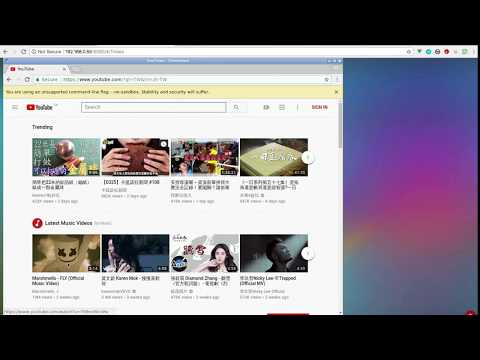](http://www.youtube.com/watch?v=Kv9FGClP1-k)
|
|
|
|
|
|
Generate Dockerfile from jinja template
|
|
-------------------
|
|
|
|
Dockerfile and configuration can be generated by template.
|
|
|
|
- arch: one of `amd64` or `armhf`
|
|
- flavor: refer to file in flavor/`flavor`.yml
|
|
- image: base image
|
|
- desktop: desktop environment which is set in flavor
|
|
- addon_package: Debian package to be installed which is set in flavor
|
|
|
|
Dockerfile and configuration are re-generate if they do not exist. Or you may force to re-generate by removing them with the command `make clean`.
|
|
|
|
Troubleshooting and FAQ
|
|
==================
|
|
|
|
1. boot2docker connection issue, https://github.com/fcwu/docker-ubuntu-vnc-desktop/issues/2
|
|
2. Multi-language supports, https://github.com/fcwu/docker-ubuntu-vnc-desktop/issues/80
|
|
3. Autostart, https://github.com/fcwu/docker-ubuntu-vnc-desktop/issues/85
|
|
4. x11vnc arguments(multiptr), https://github.com/fcwu/docker-ubuntu-vnc-desktop/issues/101
|
|
5. firefox/chrome crash (/dev/shm), https://github.com/fcwu/docker-ubuntu-vnc-desktop/issues/112
|
|
6. resize display size without destroying container, https://github.com/fcwu/docker-ubuntu-vnc-desktop/issues/115#issuecomment-522426037
|
|
|
|
License
|
|
==================
|
|
|
|
See the LICENSE file for details.
|