mirror of
https://github.com/fcwu/docker-ubuntu-vnc-desktop
synced 2025-12-06 08:22:31 +01:00

164 lines
5.9 KiB
Markdown
164 lines
5.9 KiB
Markdown
# docker-ubuntu-vnc-desktop
|
|
|
|
[](https://hub.docker.com/r/dorowu/ubuntu-desktop-lxde-vnc/)
|
|
[](https://hub.docker.com/r/dorowu/ubuntu-desktop-lxde-vnc/)
|
|
|
|
docker-ubuntu-vnc-desktop is a Docker image to provide web VNC interface to access Ubuntu LXDE/LxQT desktop environment.
|
|
|
|
<!-- @import "[TOC]" {cmd="toc" depthFrom=2 depthTo=2 orderedList=false} -->
|
|
|
|
<!-- code_chunk_output -->
|
|
|
|
- [Quick Start](#quick-start)
|
|
- [VNC Viewer](#vnc-viewer)
|
|
- [HTTP Base Authentication](#http-base-authentication)
|
|
- [SSL](#ssl)
|
|
- [Screen Resolution](#screen-resolution)
|
|
- [Default Desktop User](#default-desktop-user)
|
|
- [Deploy to a subdirectory (relative url root)](#deploy-to-a-subdirectory-relative-url-root)
|
|
- [Sound (Preview version and Linux only)](#sound-preview-version-and-linux-only)
|
|
- [Generate Dockerfile from jinja template](#generate-dockerfile-from-jinja-template)
|
|
- [Troubleshooting and FAQ](#troubleshooting-and-faq)
|
|
- [License](#license)
|
|
|
|
<!-- /code_chunk_output -->
|
|
|
|
## Quick Start
|
|
|
|
Run the docker container and access with port `6080`
|
|
|
|
```shell
|
|
docker run -p 6080:80 -v /dev/shm:/dev/shm dorowu/ubuntu-desktop-lxde-vnc
|
|
```
|
|
|
|
Browse http://127.0.0.1:6080/
|
|
|
|
<img src="https://raw.github.com/fcwu/docker-ubuntu-vnc-desktop/master/screenshots/lxde.png?v1" width=700/>
|
|
|
|
### Ubuntu Flavors
|
|
|
|
Choose your favorite Ubuntu version with [tags](https://hub.docker.com/r/dorowu/ubuntu-desktop-lxde-vnc/tags/)
|
|
|
|
- focal: Ubuntu 20.04 (latest)
|
|
- focal-lxqt: Ubuntu 20.04 LXQt
|
|
- bionic: Ubuntu 18.04
|
|
- bionic-lxqt: Ubuntu 18.04 LXQt
|
|
- xenial: Ubuntu 16.04 (deprecated)
|
|
- trusty: Ubuntu 14.04 (deprecated)
|
|
|
|
## VNC Viewer
|
|
|
|
Forward VNC service port 5900 to host by
|
|
|
|
```shell
|
|
docker run -p 6080:80 -p 5900:5900 -v /dev/shm:/dev/shm dorowu/ubuntu-desktop-lxde-vnc
|
|
```
|
|
|
|
Now, open the vnc viewer and connect to port 5900. If you would like to protect vnc service by password, set environment variable `VNC_PASSWORD`, for example
|
|
|
|
```shell
|
|
docker run -p 6080:80 -p 5900:5900 -e VNC_PASSWORD=mypassword -v /dev/shm:/dev/shm dorowu/ubuntu-desktop-lxde-vnc
|
|
```
|
|
|
|
A prompt will ask password either in the browser or vnc viewer.
|
|
|
|
## HTTP Base Authentication
|
|
|
|
This image provides base access authentication of HTTP via `HTTP_PASSWORD`
|
|
|
|
```shell
|
|
docker run -p 6080:80 -e HTTP_PASSWORD=mypassword -v /dev/shm:/dev/shm dorowu/ubuntu-desktop-lxde-vnc
|
|
```
|
|
|
|
## SSL
|
|
|
|
To connect with SSL, generate self signed SSL certificate first if you don't have it
|
|
|
|
```shell
|
|
mkdir -p ssl
|
|
openssl req -x509 -nodes -days 365 -newkey rsa:2048 -keyout ssl/nginx.key -out ssl/nginx.crt
|
|
```
|
|
|
|
Specify SSL port by `SSL_PORT`, certificate path to `/etc/nginx/ssl`, and forward it to 6081
|
|
|
|
```shell
|
|
docker run -p 6081:443 -e SSL_PORT=443 -v ${PWD}/ssl:/etc/nginx/ssl -v /dev/shm:/dev/shm dorowu/ubuntu-desktop-lxde-vnc
|
|
```
|
|
|
|
## Screen Resolution
|
|
|
|
The Resolution of virtual desktop adapts browser window size when first connecting the server. You may choose a fixed resolution by passing `RESOLUTION` environment variable, for example
|
|
|
|
```shell
|
|
docker run -p 6080:80 -e RESOLUTION=1920x1080 -v /dev/shm:/dev/shm dorowu/ubuntu-desktop-lxde-vnc
|
|
```
|
|
|
|
## Default Desktop User
|
|
|
|
The default user is `root`. You may change the user and password respectively by `USER` and `PASSWORD` environment variable, for example,
|
|
|
|
```shell
|
|
docker run -p 6080:80 -e USER=doro -e PASSWORD=password -v /dev/shm:/dev/shm dorowu/ubuntu-desktop-lxde-vnc
|
|
```
|
|
|
|
## Deploy to a subdirectory (relative url root)
|
|
|
|
You may deploy this application to a subdirectory, for example `/some-prefix/`. You then can access application by `http://127.0.0.1:6080/some-prefix/`. This can be specified using the `RELATIVE_URL_ROOT` configuration option like this
|
|
|
|
```shell
|
|
docker run -p 6080:80 -e RELATIVE_URL_ROOT=some-prefix dorowu/ubuntu-desktop-lxde-vnc
|
|
```
|
|
|
|
NOTE: this variable should not have any leading and trailing splash (/)
|
|
|
|
## Sound (Preview version and Linux only)
|
|
|
|
It only works in Linux.
|
|
|
|
First of all, insert kernel module `snd-aloop` and specify `2` as the index of sound loop device
|
|
|
|
```shell
|
|
sudo modprobe snd-aloop index=2
|
|
```
|
|
|
|
Start the container
|
|
|
|
```shell
|
|
docker run -it --rm -p 6080:80 --device /dev/snd -e ALSADEV=hw:2,0 dorowu/ubuntu-desktop-lxde-vnc
|
|
```
|
|
|
|
where `--device /dev/snd -e ALSADEV=hw:2,0` means to grant sound device to container and set basic ASLA config to use card 2.
|
|
|
|
Launch a browser with URL http://127.0.0.1:6080/#/?video, where `video` means to start with video mode. Now you can start Chromium in start menu (Internet -> Chromium Web Browser Sound) and try to play some video.
|
|
|
|
Following is the screen capture of these operations. Turn on your sound at the end of video!
|
|
|
|
[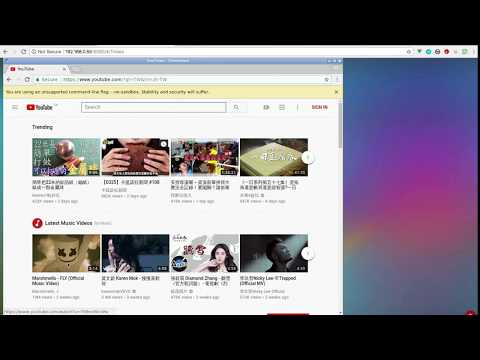](http://www.youtube.com/watch?v=Kv9FGClP1-k)
|
|
|
|
|
|
## Generate Dockerfile from jinja template
|
|
|
|
WARNING: Deprecated
|
|
|
|
Dockerfile and configuration can be generated by template.
|
|
|
|
- arch: one of `amd64` or `armhf`
|
|
- flavor: refer to file in flavor/`flavor`.yml
|
|
- image: base image
|
|
- desktop: desktop environment which is set in flavor
|
|
- addon_package: Debian package to be installed which is set in flavor
|
|
|
|
Dockerfile and configuration are re-generate if they do not exist. Or you may force to re-generate by removing them with the command `make clean`.
|
|
|
|
## Troubleshooting and FAQ
|
|
|
|
1. boot2docker connection issue, https://github.com/fcwu/docker-ubuntu-vnc-desktop/issues/2
|
|
2. Multi-language supports, https://github.com/fcwu/docker-ubuntu-vnc-desktop/issues/80
|
|
3. Autostart, https://github.com/fcwu/docker-ubuntu-vnc-desktop/issues/85#issuecomment-466778407
|
|
4. x11vnc arguments(multiptr), https://github.com/fcwu/docker-ubuntu-vnc-desktop/issues/101
|
|
5. firefox/chrome crash (/dev/shm), https://github.com/fcwu/docker-ubuntu-vnc-desktop/issues/112
|
|
6. resize display size without destroying container, https://github.com/fcwu/docker-ubuntu-vnc-desktop/issues/115#issuecomment-522426037
|
|
|
|
## License
|
|
|
|
See the LICENSE file for details.
|